Halloween Horror Night Flyer Template for Instant Impact
When October rolls around, the competition for attention gets fierce. You aren't just competing with other parties or events; you are competing with the sheer visual noise of the season. To break through that clutter, you need more than just a stock photo of a pumpkin. You need a Halloween Horror Night Flyer or Poster that commands the room. This isn't just a piece of paper; it is a vibe. It is the digital handshake that tells your audience exactly what kind of night they are stepping into.
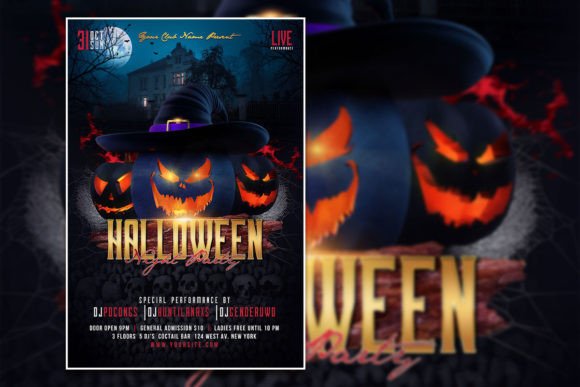
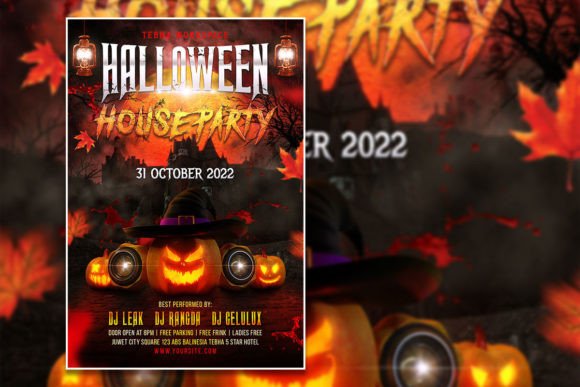
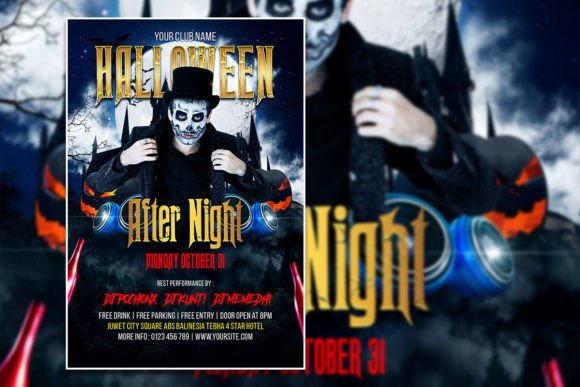
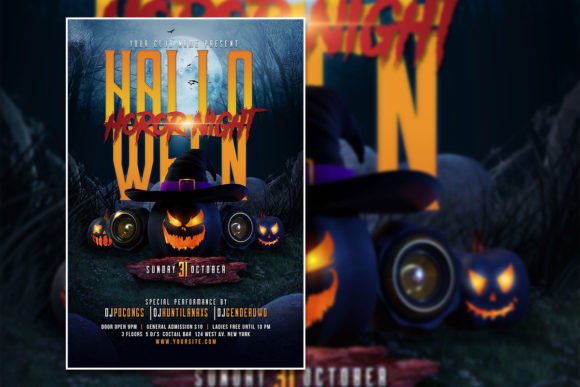
The visual style of this specific template leans into the gritty, atmospheric side of the holiday. It avoids the cartoonish look of family-friendly harvest festivals and dives straight into the shadows. We are talking about deep, moody color palettes that utilize high-contrast blacks and eerie accent colors. The layout is designed to handle heavy typography without looking cluttered. It uses negative space to create tension, guiding the viewer’s eye from the headline down to the critical details—date, time, and location. If you are promoting a haunted house, a club night, or a themed dinner, this aesthetic sets the tone immediately. It feels edgy, professional, and intentionally designed to evoke a spine-tingling reaction.
Why a Customizable PSD Template Saves the Season
As a creative professional or business owner, time is your most valuable asset. You know that starting from a blank canvas in Adobe Photoshop is a time sink. That is where this Halloween Flyer Template becomes an essential part of your toolkit. Because it comes as an organized PSD file, you are not just buying an image; you are buying a workflow. The layers are separated, meaning you can isolate the background, adjust the lighting effects, and swap out graphic elements without breaking the design structure.
One of the biggest hurdles in design is often the text. With this template, the text editing process is seamless. You simply select the text tool, highlight the copy, and type in your event details. This flexibility allows you to pivot your messaging instantly. If you decide to change the event name from "Night of Terror" to "Midnight Masquerade," you don't have to rebuild the layout. Furthermore, the font is fully editable. If the default typeface doesn't match your specific brand identity, you can swap it out for a premium font you already own. This level of control ensures that the final product feels authentic to your brand rather than generic.
Technical Specifications for Flawless Execution
Nothing kills a good design faster than a pixelated print job or a blurry social media post. This asset is built to professional standards to prevent those headaches. The file dimensions are 2000 x 3000 pixels, maintaining a standard 2:3 (often referred to as 4:6 for print scaling) aspect ratio. This resolution is versatile enough for high-quality digital displays and sharp enough for physical printing.
Here is a breakdown of the technical specs you need to know for your design assets:
- Resolution: 300 DPI. This is the industry standard for print, ensuring that your flyers look crisp and professional when held in hand.
- Color Mode: RGB. While CMYK is standard for offset printing, RGB is perfect for digital use (social media, email newsletters, web banners) and works well with modern digital printing services.
- Software: Adobe Photoshop. This is a Photoshop (PSD) file, meaning it takes advantage of layer styles, blending modes, and smart objects that other software might not support fully.
- Organization: The layers are organized. This is crucial for web design and graphic professionals who need to hand off files or keep their project folders clean.
Beyond the Flyer: Versatility in Marketing
While the primary function is a printable flyer, the utility of this Halloween Horror Night Flyer or Poster extends much further. We live in a multi-platform world, and your visual assets need to work harder. Because the file is high-resolution and editable, it serves as a fantastic base for a Halloween Social Media Post Template.
Imagine cropping the design to a square format for Instagram or adjusting the composition for a Facebook event cover. The modern typography and gritty textures hold up well across different mediums. You can use this same design language to create:
- Event Tickets: Resize the elements to create a cohesive ticket stub that matches the promotional material.
- Web Banners: Use sections of the design to create header images for your website or blog during the Halloween season.
- Email Headers: If you are a blogger or publisher, a section of this design can serve as a striking header for your October newsletter.
This consistency is key to brand recognition. When a customer sees the flyer on a telephone pole, then sees the same visual style on your Instagram feed, it reinforces the message. It tells them you are organized, professional, and serious about the event you are hosting.
Practical Design Tips for Your Halloween Campaign
Even with a perfect template, a few design principles can elevate your work from "good" to "unmissable." When editing this Editable Halloween flyer template, keep the following in mind:
1. Hierarchy is King. Your headline needs to be legible from a distance. Ensure that your main event name is the largest element. The details (date, time, address) should be secondary. If you are changing the font, pair a bold display font for the header with a clean sans serif font for the details. This contrast creates a clear visual hierarchy.
2. Color Psychology. The template likely uses dark, moody tones. When replacing photos, make sure your images match the lighting of the template. A brightly lit selfie will look out of place against a dark, horror-themed background. Use Photoshop’s adjustment layers (like Curves or Hue/Saturation) to blend your photos seamlessly into the existing color scheme.
3. Readability Check. It is easy to get carried away with spooky script fonts or dripping lettering. While they look cool, they can be impossible to read at a glance. If you are using a handwritten font for the main title, ensure the letters are distinct. You can always use a serif font or sans serif font for the supporting text to maintain legibility.
Who Needs This Template?
The versatility of this Halloween Editable PSD Template makes it ideal for a wide range of users. You don't need to be a seasoned graphic designer to use it effectively.
Small Business Owners: If you run a bar, a restaurant, or a retail shop, this is your fast track to professional marketing. You can create a Halloween Flyer Template for your window display and matching social media posts in under an hour.
Event Planners and Marketers: For agencies or freelancers managing multiple clients, having a high-quality base template speeds up the proofing process. It allows you to present a polished concept to a client quickly.
Content Creators and Bloggers: Use the visual elements to create unique social media graphics or web design elements for a seasonal blog post. It adds a professional polish that standard stock photos often lack.
Crafters and Hobbyists: Even for personal use, like a neighborhood haunted house or a family party, this template adds a layer of excitement. It turns a simple invitation into a keepsake.
Finalizing Your Project
Once you have edited the text, swapped out the photos, and adjusted the colors, you are ready to export. For social media, a high-quality JPEG or PNG is perfect. For printing, ensure you check the bleed lines if you are taking this to a professional print shop, or simply print it on high-quality cardstock at home.
The goal of this Halloween Horror Night Flyer or Poster is to remove the friction from your creative process. It provides the structure and the aesthetic, so you can focus on the content. Whether you are promoting a massive commercial event or a small gathering, this Photoshop Template ensures you look the part. Download it, open it in Photoshop, and start creating a visual experience that people will actually remember.